|
|
1. MS Windows XP Advanced Visual Effects:
|
|
|
| Windows XP gives you a possibility to increase PC performance by removing some visual effects. After having removed visual effects you`ll get additional free space of RAM memory, increasing the speed of Windows XP loading, some increasing of the executing speed of the processes but you will lose XP visual effects. That is your decision. To change the configuration of visual effects you must open Performance Options page. For that:
Press Windows + Pause/Break buttons of your keyboard. Click on Advanced System Settings tab.
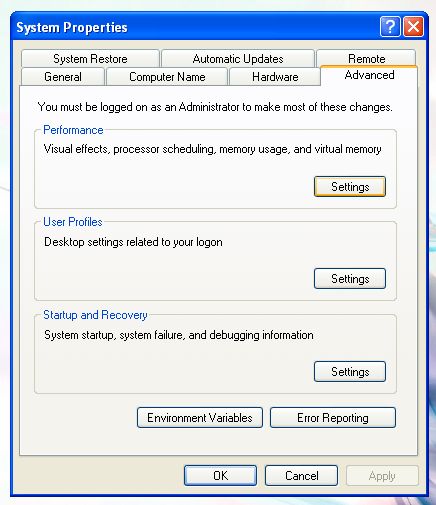
Press Settings button of Advanced tab of Performance section.
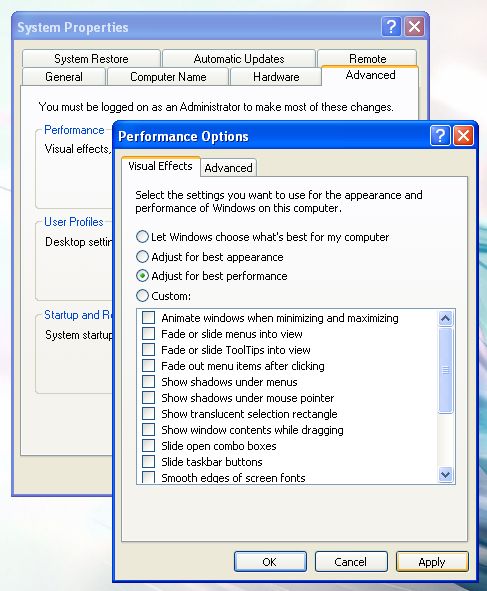
Select a suitable configuration for you: for the best appearance or for the best performance and press Apply button.
|
|
|
|
|
Recommended Software:
|
|
|
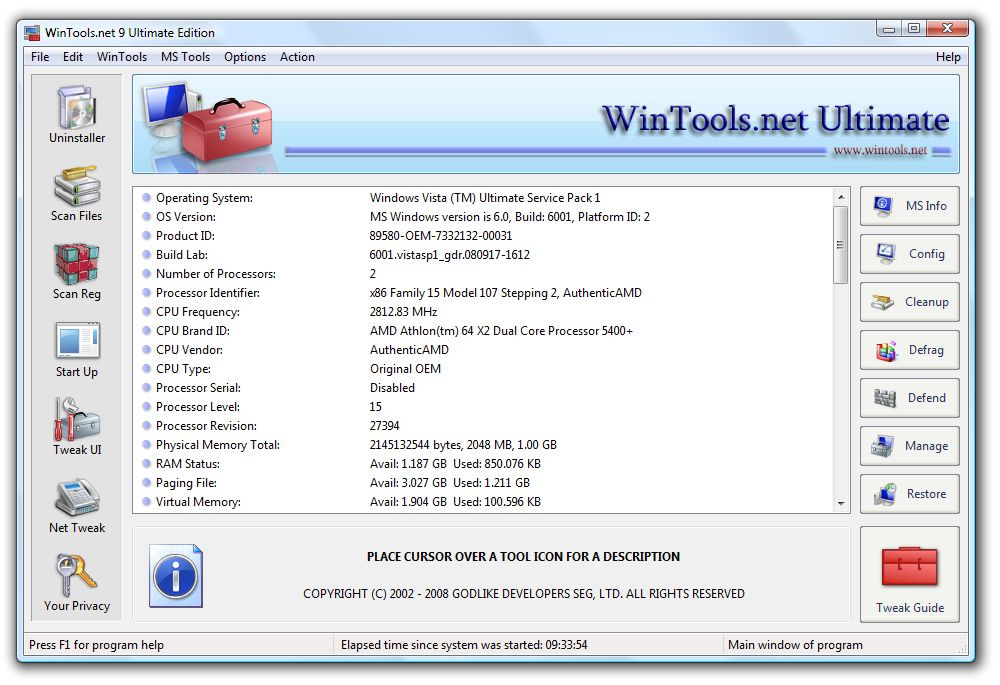
 WinTools.net 24 Ultimate / Professional WinTools.net 24 Ultimate / Professional
Набор инструментов для повышения
производительности операционной системы MS Windows.
WinTools.net безошибочно удаляет нежелательное
программное обеспечение с дисков и мертвые ссылки из
реестра MS Windows. WinTools.net позволяет вам
контролировать процесс запуска MS Windows и дает возможность настраивать параметры рабочего стола и системы в соответствии с вашими потребностями. Добавляет больше скорости и стабильности для вашего соединения. Обеспечивает вашу конфиденциальность и сохраняет конфиденциальную информацию в безопасности. WinTools.net содержит инструменты: Clean Uninstaller, Scan Files, Scan Shortcuts, Scan Registry, Startup Manager, Tweak UI, Net Tweaker, The Privacy, Invisible Man, File Shredder...
Operating System: MS Windows 11/10/8.1/8/7/VISTA/Me/XP/2k x86 x64. Download
Size: 2 MB
[ Информация ]
[ Скриншот ]
[ Скачать ]
[ Приобрести ]
|
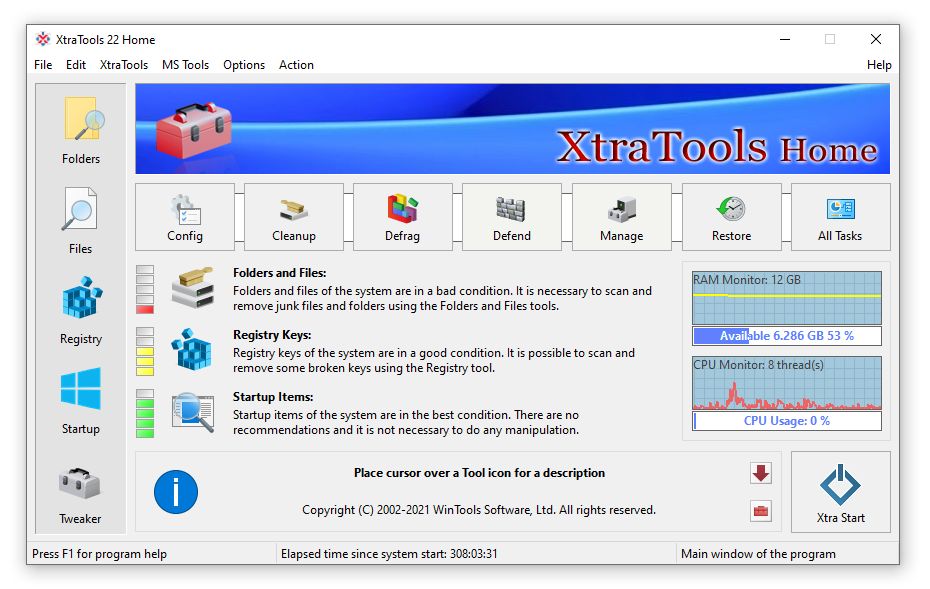
 XtraTools
24 Professional new! XtraTools
24 Professional new!
Универсальный инструмент для оптимизации системы MS Windows, который заботится обо всех аспектах вашего компьютера, от оптимизации реестра и удаления ненужных программ до настройки сетевых подключений и увеличения скорости оперативной памяти. Это компактный инструмент с интуитивно понятным интерфейсом, который дает вам полный контроль над процессом запуска, мониторингом памяти и огромным набором системных настроек, управляющих работой вашего компьютера. Текущая версия программного обеспечения предлагает следующие инструменты: сканирование папок, сканирование файлов, сканирование реестра, менеджер автозагрузки, настройка системы. Некоторые функции совершенно уникальны, например, инструмент Xtra Start и мониторинг по требованию.
Operating System: MS Windows 11/10/8.1/8/7 x86 x64. Download
Size: 2 MB
[ Информация ]
[ Скриншот ]
[ Скачать ]
[ Приобрести ]
|
 RAM
Saver 24 Professional RAM
Saver 24 Professional
Это простой в использовании инструмент оптимизации оперативной памяти, который позволит вашему компьютеру работать быстрее.
Увеличивает производительность операционной системы, предоставляя больше памяти для ваших приложений.
RAM Saver Pro: дефрагментирует системную память для более быстрого доступа; повышает эффективность работы кэшей процессора и материнской платы;
устранять утечки памяти из плохо работающих приложений; временно сбрасывает неиспользуемые библиотеки на диск.
Использование этих приемов оптимизации поможет вашим любимым приложениям и играм работать быстрее и эффективнее даже на старых компьютерах.
Operating System: MS Windows 11/10/8.1/8/7/VISTA/Me/XP/2k x86 x64. Download Size: 1.2 MB
[ Информация ]
[ Скриншот ]
[ Скачать ]
[ Приобрести ]
|
|
|
|
|
|


![[ Скриншот ]](https://www.wintools.net/images/wintoolsultimate.jpg)
![[ Скриншот ]](https://www.wintools.net/images/ramsaverpro.jpg)